Gday77 App in Your Pocket
We built the Gday77 mobile experience around the games people actually open on a phone: Gates of Olympus, Book of Dead and the Evolution live tables. New players can start with a 100% deposit bonus.

Gday77 on Your Phone: What to Expect
How the casino, live tables and cashier work on a smaller screen.
You can open Gday77 on your phone and use most of the site: slots, live tables, the betting section and the cashier. This page covers how mobile play works, what changes on a small screen and what stays the same as on desktop.
The game library is the same one you see on a laptop. Gates of Olympus from Pragmatic Play and Starburst from NetEnt load in portrait mode, and the spin button sits where your thumb reaches it. Evolution's live dealer tables stream to your phone too. On a weak connection the picture quality may drop for a moment while the game catches up, so a steady signal helps.
Your account works the same way on every device. Your balance, your active bonus and your bet history follow you, so you can start a session on a computer and finish it on your phone. The 100% welcome offer is claimed from the same cashier, with the same terms on mobile as on desktop.
Payments use the same 5 methods, including Visa and 3 cryptocurrencies such as Bitcoin. If something goes wrong partway through, the operator's live chat and WhatsApp support both work on a phone, which is usually quicker than typing a long e-mail.
Gday77 Mobile Site vs App: Which Suits You
Both formats use the same account and the same games. Here is where they differ.
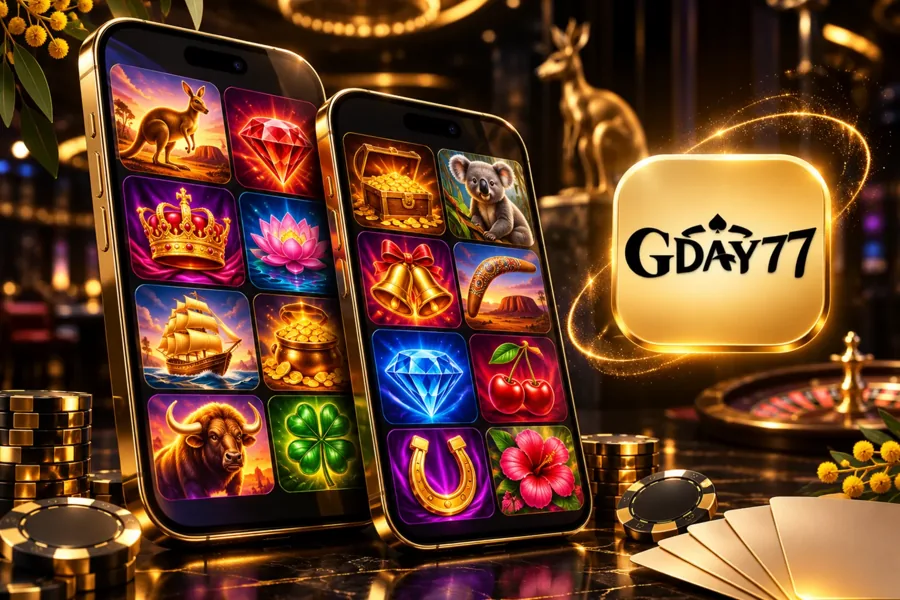
You can play Gday77 in your phone's browser or through the app. Either way you get the same account, balance and game library, so the choice comes down to habit, not content.
The mobile site needs no install. Open the page, log in, and Gates of Olympus or a live Evolution table loads like it does on a laptop. It suits you if you play now and then, or if your phone is short on storage.
The app is better for regular play. It opens from one icon, keeps your session steady, and skips the browser tabs and address bar. Updates arrive in the background, so you won't notice them.
Payments work the same in both. All 5 methods, including 3 cryptocurrencies, sit in the cashier. The minimum deposit is A$20 (A$30 for crypto).
| Feature | Mobile site | App |
|---|---|---|
| Getting started | Open in any modern browser | Install once, then tap the icon |
| Phone storage | None needed | Takes some space on the device |
| Game library | Full lobby, incl. Book of Dead and Starburst | Same lobby, same providers |
| Live casino | Evolution tables in the browser | Evolution tables in a full-screen view |
| Payments | 5 methods: Visa, Mastercard, Bitcoin, Ethereum, TRON | Same 5 methods, same cashier |
| Account and balance | Shared with the app | Shared with the mobile site |
| Updates | Applied when you reload the page | Applied in the background |
| Support | Live chat, WhatsApp, email | Live chat, WhatsApp, email |
| Best for | Occasional sessions, low storage | Regular play, quick access |
Downloading Gday77 on Android
How to get Gday77 on your Android phone and log in within a few minutes.
You can get Gday77 on Android without going through Google Play. Download it from the official site in your phone's browser. That keeps you on the real build and away from copies uploaded by someone else.
Once it is installed, the app gives you the same lobby as the desktop site. That includes Gates of Olympus, Book of Dead and Starburst, plus live tables from Evolution. Deposits work through the same cashier, so Visa, Mastercard and the three supported cryptocurrencies are all there.
Before you start, check that your phone has some free storage and a stable connection. If an install stops halfway, it is almost always because of one of those two.
Open the official site
Open Gday77 in Chrome or another browser on your Android phone. Find the app link in the menu.
Start the download
Tap the Android download button and wait for the file to finish. Your notification bar will tell you when it is done.
Allow the install
If Android asks for permission to install from this source, give it to your browser only. You can switch it off again afterwards.
Install and log in
Open the file, tap Install, then launch Gday77. Sign in with your existing details or register a new account.
Installing Gday77 on iOS
Add the casino to your home screen in Safari in about a minute.
Gday77 runs on iPhone and iPad through the mobile browser, so you don't need an App Store download or a separate login to play. Once you save the site to your home screen, it opens from its own icon and runs full screen, the same way a native app would.
The games are the same ones you get on desktop. Gates of Olympus and Book of Dead load in portrait or landscape, and the Evolution live tables adjust to the smaller screen without dropping any betting options. Your balance, history and bonus progress stay in your account, so you can switch between phone and laptop and pick up where you left off.
Use Safari for this. Other iOS browsers do not always show the home screen option.
Open Safari
Go to the Gday77 site in Safari on your iPhone or iPad and wait for the lobby to finish loading.
Tap Share
Tap the Share icon, the square with an upward arrow, in the bottom bar (or at the top on iPad).
Add to Home Screen
Scroll down the menu, tap Add to Home Screen, keep or change the name, then tap Add.
Launch and sign in
Open the new Gday77 icon, log in or register, and allow notifications if you want them.
Full App Features
What you can actually do from the Gday77 app, from the lobby to the cashier.
Full casino lobby
The app carries the same slots and table games as the desktop site. You can open Gates of Olympus, Book of Dead or Starburst in a couple of taps, with titles from Pragmatic Play, NetEnt and Push Gaming.
Live dealer tables
Evolution streams its live studios straight to your phone. The video scales to portrait or landscape, and bet buttons stay large enough to hit without zooming.
Sports betting
The betting section sits in the same app, so you can switch from a slot to a match market without logging in again. Your balance is shared across both.
Mobile cashier
Deposits work with Visa, Mastercard, Bitcoin, Ethereum and TRON, all in AUD terms. The minimum deposit is A$20 (A$30 for crypto) and deposits are instant.
Bonus tracking
The 100% welcome offer and any active promotions show up in your account area. You can see wagering progress against the 35x requirement at a glance instead of digging through the terms.
Support on the go
Gday77's live chat opens inside the app, and you can also reach the operator's team on WhatsApp or by email if a question needs more detail.
Your First Deposit Bonus in the Gday77 App
A 100% match on your first deposit, claimed straight from your phone.
The first deposit bonus at Gday77 is a 100% match. Whatever you put in on that first top-up, we add the same amount again as bonus funds. The offer has one part only. There are no free spins in this package, so you know from the start what you are getting.
You claim it in the app the same way you would on the desktop site. Register, open the cashier and choose a method. You can pay with Visa, Mastercard, Bitcoin, Ethereum or TRON, which is 5 methods in total, 3 of them crypto. Enter the code GDAY77BEST if prompted. The match is linked to the deposit itself.
Before you pay, know the terms. The minimum qualifying deposit is A$20 (A$30 for crypto), the wagering requirement is 35x and the maximum bonus amount is A$1,000. Some players use the matched balance on a familiar slot like Starburst or Book of Dead, where the pace is easy to follow while they work through the wagering.
If something looks unclear, our support team can explain it over live chat, WhatsApp or email.

Installing the app does not change the welcome offer. You get the same 100% first deposit match as on the website, so you lose nothing by registering on your phone. The offer is 100% up to A$2,500 + 100 free spins with 35x wagering and 30 days validity, so you know exactly what you get before your first deposit.
Gday77 App FAQ
Short answers on safety, verification, payments and bonuses in the app.
How can I check that the Gday77 app is legit?
Start with the licence. Gday77 is licensed by the Curacao Gaming Control Board, and you can find the full details in the licence section further down this page. Also look at who supplies the games. Evolution, Pragmatic Play, NetEnt and Push Gaming only work with operators that meet their standards.
Is it safe to play in the app?
The app runs the same licensed casino as the desktop site, with the same games and the same cashier. Keep your login private, set deposit limits that suit your budget, and only ever download the app from the official Gday77 site.
Is it legal to play pokies online?
That depends on the laws where you live, and they differ from place to place. Check your local rules before you register. You must be 18 or older to play.
How do I verify my account?
We may ask you to verify your account when you register, before some deposits, or when you request your first withdrawal. You usually upload a photo ID and proof of address. Getting this done early means your first cashout will not be held up waiting for documents.
Can I skip verification?
No. Even if signing up feels quick, we can still check your account later. Verification protects your account and your money.
How long do withdrawals take?
Crypto withdrawals arrive within 1 hour, e-wallets within 24 hours and cards in 1-3 business days. The minimum deposit is A$20.
How much can I withdraw at once?
Withdrawal limits vary by payment method. Cards run A$20 / A$4,000, e-wallets A$20 / A$5,000 and crypto A$30 / A$10,000.
Which payment methods does the app support?
There are 5 methods: Visa, Mastercard and 3 cryptocurrencies (Bitcoin, Ethereum and TRON). Payments are in AUD.
How do I get bonus money to play with?
New players can claim a 100% match up to A$1,000 on their first deposit. The bonus carries 35x wagering and is valid for 30 days, so read through these conditions before you deposit.
Which games work best on a phone?
Gates of Olympus, Book of Dead and Starburst all run smoothly on a mobile screen. Live tables from Evolution also adjust to portrait mode.
How do I contact support from the app?
Gday77 support is available by live chat 24/7, email at [email protected] and Telegram @gday77_support. Live chat is usually the quickest way to get an answer.